Various image resources and thoughts

Thursday, July 03, 2008

B747SP PAA at Sydney, 1978


B747SP-PA-N57PA-RR-CT-1978
Originally uploaded by gtveloce

Unintended consequences. I was standing at Sydney Airport back in 1978, analog Pentax in hand, loaded with Ektachrome, and took a shot of this Pan Am 747SP. Big deal? Well, maybe...

Because time marches on and things change, even the innocuous can take on new meaning. For example it's an SP, not your regular Jumbo. And Pan Am itself went bust. And in the background I have captured Sydney's skyline, as it was. In fact Sydney's tallest structure, Sydney Tower is caught here under construction. Now I didn't mean to get it into shot - OK, I probably did think about the background to some degree - but it was nice to get that slice of history in there. Otherwise it would be just another boring old 'plane shot.

Lockheed Electra VH-ABH Wangaratta 1997


Locheed Electra VH-ABH Wangaratta 1997_w006
Originally uploaded by gtveloce

Another low-quality scan but a worthy subject: Electra VH-ABH at Air World, Wangaratta, Victoria circa 1997.

Labels: , ,

Mushrooms in the woodpile


Mushrooms_0680a
Originally uploaded by gtveloce

Behind my woodpile I found this secret grove of mushrooms. They came and went in a week or so, but before they vanished I got up close and took some pics..

Monday, June 23, 2008

SAA 747 1977_210


SAA 747 1977_210
Originally uploaded by gtveloce

Not a perfect composition, I'd have liked to have seen the wheels in the shot, but dramatic nonetheless... as before, a long lens, hand-held.

SAA 747SP ZS-SPF 1977


SAA 747SP ZS-SPF 1977_034
Originally uploaded by gtveloce

Hmmm. A case of get as close as you can, use a long lens (400mm in this case, hand held), as high a shutter speed as you can get and follow the target... Tri-X 35mm Pentax shot, 1977.

Saturday, June 14, 2008

3TTT seatpost failure


3TTT seatpost failure_0432
Originally uploaded by gtveloce

This is my most popular image on Flickr. Why? It's not the greatest photo I've ever taken, but I guess it's exactly as stated - a seatpost that has failed. And in that sense it tells a tale that's both very personal and very painful; and one that other bike riders may imagine happening to them, if they are not careful!

FWIW it's a lightweight "3TTT"-brand seatpost that fitted into the slightly smaller than 'usual' diameter seat tube of my Look KG76 bike frame. You can see that it has had fluting milled out and painted black. It and the Look frame (with Mavic ensemble) were sold new to me in 1990, so the post was about 17 years old when it finally snapped, although it wasn't used for maybe 5 or those years and was never my only bike. It was a surprise, but not a nice one.

Friday, June 06, 2008

The classic Alfa 4 - again


GTV_a010c
Originally uploaded by gtveloce

Have I overdone the Photoshopping? Maybe, maybe not.

Thursday, June 05, 2008

It's an engine


GTV_a009b
Originally uploaded by gtveloce

Oh no it's more than that - it's the classic Alfa Romeo 4 cylinder. OK, it's been Photoshopped (some cutout and contrast adjustment, mainly), but it's still recognisably the ageless Alfa 4.

Saturday, May 31, 2008

Tiger Moth and pilot Richmond 1976


Tiger Moth and pilot Richmond 1976_img969b
Originally uploaded by gtveloce

Sometimes a bit of shadow, a touch of backlighting and some glare can add to a photo... it's not so straightforward as the expected "fully and evenly exposed" shot.

Thursday, May 29, 2008

RAAF F111 Richmond 76_517


RAAF F111 Richmond 76_517
Originally uploaded by gtveloce

I'm burrowing through some old pics. This is Tri-X, 35mm, probably a 200mm lens with Pentax K2 or KX. I like the effect of these 3 RAAF F-111s dumping oil into their afterburners (I guess that's what they are doing!) - it was a spectacular air show trick at the time, but I don't they'd do this sort of thing nowadays!

NSWGR 3203 Thirlmere 76_532


NSWGR 3203 Thirlmere 76_532
Originally uploaded by gtveloce

Ye old fashioned steam locomotion captured on ye old fashioned Tri-X monochrome film with a 35mm Pentax camera (probably a KX) in 1976. Looks like I used about 200mm of lens here to get that compression effect, and I shot through grass to make it more interesting. So you get the combined effects of framing and the eye being led to the loco by the tracks.

Saturday, April 26, 2008

Oil and texta on canvas...


art006d
Originally uploaded by gtveloce

And then Photoshopped as well. I like it, anyway.

It's the Zig Zag Railway near Lithgow, NSW, Australia, btw. Before the railway cut through the Blue Mountains like power-crazed engineers are wont to do, they zig-zagged their way up the steep bits instead. A bit slow to traverse in this manner but a lot easier than boring long tunnels and slicing deep cuttings into the rock (which of course they ended up doing later anyway).

Monday, April 14, 2008

abstract s1002a


abstract s1002a
Originally uploaded by gtveloce

Another version, just to show a little of how it was done (with those layers and blurring, and a cut-out mask, then recoloured, then blurred, and repeat...

My abstract phase


abstract s1002
Originally uploaded by gtveloce

'm clearly going through an abstract phase. This was built up layer upon layer, each layer recoloured and blurred, then another sharper layer added. And then blurred, ad nauseum...

Butterfly visitor


Butterfly visitor_0475a
Originally uploaded by gtveloce

Hard one to catch as they don't stay still when you say "cheese". Cropped but untouched otherwise.

Can't get close enough, really


chicks_0489
Originally uploaded by gtveloce

Composition is a personal thing, within reason. You can compose in a fairly safe way or go crazy with angles or "cut-offs", and like both - or not. Here I have 2 possible main characters, one almost centered, the other way off but looming. Your eye is drawn to one or the other, then back. Later you realise there are other characters at play, out of focus. You also get a sense of depth from the focus on the hat itself.

Well that's my take on it, anyway!

Easter chicken macro shots


chicks_0490
Originally uploaded by gtveloce

Just for the fun of it, some close ups of chicks on an Easter hat my 6 year old daughter made...

Monday, April 07, 2008

From my 'arguably abstract' collection


abstract s2779h
Originally uploaded by gtveloce

It's nothing, and it's something. Read into it what you will. Photoshopping is the new painting.

Saturday, March 29, 2008

It looks like.. but it's bubblewrap


DAR1063b
Originally uploaded by gtveloce

I wasn't trying to achieve this effect, it just happened. It's cool that it started as just a shot of bubble wrap packaging.

Thursday, March 13, 2008

Image editing tips and tricks - layers and cloning

OK, so I've mentioned before all of the 'old-fashioned' analog techniques that we used to use in the darkroom, like dodging, burning-in and solarizing, that are now used within software like the GIMP or Adobe Photoshop. The big advantage is that you don't have to get your hands dirty with photographic chemicals any more; and you also don't need to print it just to see what it looks like. And throw out reams of paper in the process. I tend to use Photoshop in my virtual darkroom, but most everything is duplicated in the GIMP as well.

So here are some quick tips on layers and cloning:
  1. Yeah yeah, layers again. I can't stress too much that just selecting 'duplicate layer' is the single most powerful thing you can do. Just try it!
  2. The clone tool. It's magical. It comes in many shapes and sizes and can be faded away as you like it. Try this in company with a new duplicate layer. Simply choose the item you want to remove (say a post, a sign, or a blemish) and then press the clone "stamp" on the tool bar.
  3. Use the cursor to select just enough (ie adjust the size of the cursor) of an area adjacent to the blemish that preferably continues on the other side of the blemish itself.
  4. Best example is of an unsightly black mark on the sky - just clone nearby clear blue sky with an "alt" key plus left-click and then "stamp" that bit of blue sky over the mark with another left click. Voila, black mark gone!
  5. By playing with the clone tool's shapes and sizes, plus the opacity, you will find that this one tool, coupled with layers, is probably the single most powerful combination in the history of digital art. Well I use it a lot, anyway ;-)

Labels: ,

Saturday, March 08, 2008

Working on it...


DAR005y
Originally uploaded by gtveloce
Layer upon layer, successive blurring and air brushing... and voila!

An old oil painting gets a makeover


DAR005x
Originally uploaded by gtveloce
I had a spare moment, and the pixels never seem to wear our in Photoshop...

Friday, February 29, 2008

Diggin' in the archive again...


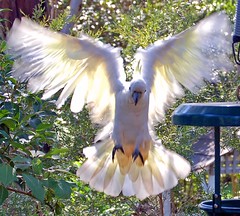
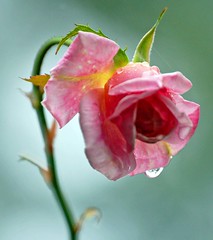
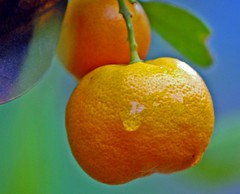
Plants are good subjects. Generally they still and don't complain if you take a while, and don't seem to mind if you manipulate their leaves a tad to make the composition work. Raindrops are just icing on the cake, or the leaf as it were. You can use nature's way, or just spray it on yourself...

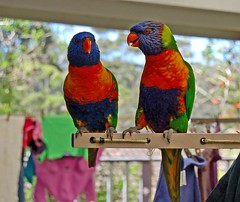
Just lots of pics, no big deal...


Just point and shoot. That's all. Easy! OK, compose a little. Yeah, get your lighting right. OK, focus and depth of field, too. Shoot from different angles. Film or digital? Zoom or wide angle? Could it be better if I shade the lens, or maybe bounce my flash? What about a filter? Colour or black and white? Aaaargh, let's fix it all in Photoshop instead! (I'm really not that lazy.)

Labels: , , , ,

Friday, January 25, 2008

Action shots

Well I'm no expert, per se, but here are my tips anyway! You have some options, as always, but my shortlist is:
  1. Shoot fast, ie capture the action with a high shutter speed
  2. Follow the action by panning the camera - you can then shoot fast or slow
  3. If you shoot slow and pan (perhaps because it's dark, or because you want to) you'll blur the background and other parts that are moving relative to your pan, which can be nice
  4. If you can't shoot at infinity, pre-focus on something obvious and hit the go button when the object reaches that object
  5. Anticipate the unwanted, like other moving objects, and get clear sightlines
  6. Use the best focal length for your purpose, bearing in mind that the longer the focal length the harder it will be to 'freeze' the action
  7. As always, frame the object well and get as close as you can.
It's not always easy but these simple tips will make your images more interesting and viewable. Trust me, just this once ;-)

Labels: , ,

Wednesday, January 09, 2008

The old days... learning from 35mm photography

It's instructive to take a step back and learn from the past. What we do today often references and builds upon earlier ideas and forms. For example by making digital cameras look and behave a bit like traditional film cameras we make it easier to adapt, learn and take on the new ways. (On the other hand it holds back truly revolutionary designs a tad and keeps us a little hemmed in by the past. It doesn't help those who have never used a film camera at all, either.)

Hanging onto the shape of a 35mm camera is not a bad thing. And carrying-over the terminology of chemical processing at least makes continuity of experience possible. If you knew how to develop and print film then you already knew about framing, cropping, burning-in, blocking, stops, depth of field, film speed and so on. And these things (and more) have been carried over as a standard set of terms.

OK, so let's explain a few things, just in case.
  1. Cropping and framing are obvious enough analogs for what we do with the printed (or framed, like a painting) output
  2. Film speed is just the speed with which the light is captured and retained as a potential image, and digital cameras also react more (or less) sensitively to light in much the same way
  3. Depth of field is the "in focus" area of a shot, and it changes with focal length and aperture, so what you think is in focus may not be... stopping down a bit will deepen that focus area
  4. But what is this "stopping" business? Stops are a measure of how much light is getting into your camera, digital or not. When you change the aperture by one stop upwards, you are doubling the amount of light in the scene, making things altogether brighter but risking some over-exposure
  5. But by stopping down you reduce the light available, ie 1 stop down halves the light. You risk darkening the whole image but get more "depth" of focus
  6. In this way 2 stops upward is four times the original amount of light, or just a quarter if you stop down
  7. On an analog camera you twist the aperture ring or adjust the camera's overall tendency to under or over-expose by "fiddling" with your ISO/ASA film speed ring. On a digital it's usual to find an Exposure Value (EV) control that probably lets you adjust the under or over-exposure in finer increments, such as 1/3 stop
  8. So why bother? Back in the old days lightmeters and film behaved in different ways on different days, often because film 'ripened' and changed in its reaction to light. So stopping down to slightly under-expose was common, especially effective when using Kodak's Ektachrome slide film, and of course stopping down gains you depth of field whilst opening the aperture decreases that depth
  9. But now we can see our digital image instantly, and if we see an image that's over or under-exposed and want to try again it's easy - just use that EV adjustment to stop up or down slightly and try again.
Experiment with that EV control (or the aperture ring and/or the ISO/ASA filmspeed if you still use a film camera. See what you can do to capture more of that image, the way you like it! More later...

Labels: , , , , ,

Thursday, December 20, 2007

Digital tip of the day - layers

OK, you know all this stuff, but maybe someone out there doesn't. If you are into either scanned or direct digital photography you will have noticed by now that you have a range of editing options at your disposal. Typically you will have a basic freebie like MS Paint, or a came-with-the-scanner powerhouse like Photoshop Elements. Now you can do some pretty useful stuff with Paint and its ilk - like cropping, for starters, and adding text. But I'm hoping that you lust for more control. So I'll write here about Elements, but it applies generally to other editing programs like the GIMP, too.

Layers. Not productive chickens, but another layer of image added on top of the original. Just try it out. Open your image and maybe do so cropping first. Then start with a duplicate layer. That's right, it's an option up there on the top tool-bar. Elements defaults to viewing down through the pack, so it's like you have simply added a another exact copy on a transparency, except it didn't get darker. You can make it darker by using different types of layers and settings, or by using the filters (again, look at the tool-bar and pull-down a list of filters). In fact you can do so much it's dazzling.

Try this one trick for starters. Select your original image and use the clone stamp tool (select tool, select size and 'normal', hold down alt and left-click) to select just a small part of your image from the background slide. Now make a duplicate layer, or go to it by selecting it on the layer panel to your right. Now select a filter - let's use blur, then Gaussian blur, on just that duped layer. Just use a small blur to start with, to put everything 'out of focus' but recognizable. Now experiment a bit with the clone tool, try stamping once on the same feature that you copied. Once you have made that initial stamp you can move around and fill in the rest of the image, or just the detail you want.

Remember, less is more. Unless you want to go crazy (I know I do).

In this way you can stamp an unblurred original on top of a blurred copy, bringing a feature (maybe a face) out of a crowded background. Try feathering the clone stamp - or even easier, just use differing levels of opacity. Say 10% to just ink in a faint image, or 100% to really make it stand out. Experiment. You can always undo. In this way you can build up multiple layers with different effects to generate a final image. You can do a lot more but that gets you started.

Labels: , , ,

Friday, November 30, 2007

Simple things that make photos better

It's the simple things that count most in a photograph. Like simply framing your subject and choosing your lighting. OK, sometimes you don't have a choice - it's midday and you need to take a shot. But you can always move around, change angles, or use a bit of flash to fill in the dark. And for those sun-in-your-face situations you could even use the back-lighting to create a stark, silhouetted shot. That's the beauty of it - you can actually turn a difficult moment into a creative one; or a dull shot into something special.

So what are my key tips?

  1. Firstly, keep the camera close by (you never know, do you?)
  2. Always ask yourself, 'where's my subject?' and 'where's the light coming from?' Good lighting is critical to any shot and involves a bit of thought about shadows and contrast. If you can, shoot at the ends of the day. And ask 'do I need some flash here?'. Flash can 'fill-in' a dark area but can also make for a starker image. So don't use the flash unless it's really needed or gives the effect you want
  3. And then ask, 'can I get closer to my subject?'; closer is usually better than distant, unless you want a group shot or a landscape of course! Macro shots can be dramatic, as well
  4. Am I in focus? Sometimes you may want to try different focus-points to emphasise different things in your shot, remembering that depth-of-field changes with aperture, too
  5. Ask also, 'is my subject moving, or still?' (This helps you decide on shutter speed and aperture, if you are into really it, or if you need to pan your camera with the subject's movement to avoid blur.)
  6. Can I improve the shot by changing my angle or indeed moving the subject itself?
  7. Have I thought about framing? By framing carefully you get what you want in the shot - things like heads, feet, the people or landscape you want
  8. On the other hand don't forget you can crop and adjust later - so don't get hung up on the framing and freeze with your finger just over the button!
  9. Shoot lots, you can pick the ones you like later (especially so with digital cameras!)
  10. Don't be afraid to try different things, be a bit creative, and to practice, practice, practice!

Labels:

Friday, November 23, 2007

Bubbles 3 - over the top we go


When I've come so far, why stop there?

Labels:

Bubbles 2 - the rework


Of course I can never leave anything alone, I have to do something more with it...

Labels:


Cars, bikes and com-munities Alfa Romeos and cars in general Fort Street Class of 75 Reunion Varied Image Gallery Aviation The Spiel - futurism and business Bikes!

These posts represent my opinions only. If I quote someone else I attribute. If I recommend a web site it's because I use it myself. If an advert appears it's because I affiliate with Google and others similar in nature and usually means nothing more than that... the Internet is a wild and untamed place folks, so please tread warily. My opinions are just that and do not constitute advice or legal opinion of any sort.
All original material is copyright 2006 by myself, too, in accord with the Creative Commons licence described below...

QuickLinks: Addicted2Wheels Autoexpo 2000 GTVeloce Automotive Gallery GTVeloce.com GTVeloce Image Library Fort Street High School Class of 75 All purpose Chatroom Userplane Chat Fortian Image Gallery 1975 Flora Gallery Miscellaneous Image Gallery Bike Racing Gallery Airliner Gallery Airline Postcard Gallery Gerry's Gallery GTVeloce rave on Alfa Romeos Alfa Gallery Automotive How-to Index Staying Alive Handling 101 Handling 102 Handling 103 Tyrepressures Camber Toe Caster Polar Moment Roll Oversteer Understeer Weight transfer Coil springs Wheels and Tyres Pitch Heel and Toe Double Declutch Offset Rollbars BMEP calculator Cornering load calculator GTVeloce Blog Offline Blog Out Out Damned Blog Addicted2Wheels Blog The Spiel on business MBA Resources HR Resources KM Reframed Bike Racing forum KlausenRussell Com-munity Chain Chatter Unofficial RBCC info Official RBCC info Unofficial CCCC info Official CCCC info Rob's Guide to Road, Crit and Track Racing Rob's Guide, part 2 Track race tips Sydney's Velodromes What do those lines mean? Automobile links Mustknow links Philosophy links Music Links Images of the Russell, Matthews, O'Brien and Brown families in Australia Rob's Amateur Art Gallery The GTVeloce GiftShop The GTVeloce Shopfront Rob Russell's images at Image Tank